Support
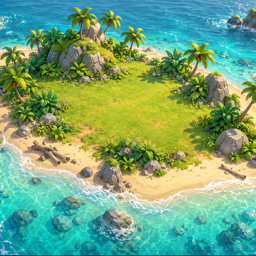
Stuck on the island? Find quick answers below, or write to us — a real person reads every message.
Getting started
Which devices can I play on?
Sprouting Isle is made for iPhone, iPad, Android phones and tablets, and Mac. It is available through the App Store and Google Play.
Do I need an internet connection?
No. The whole game plays offline. You only need a connection to buy diamonds.
How do I switch between English and Vietnamese?
The game starts in your device's language: Vietnamese if your device is set to Vietnamese, English otherwise. On Mac you can switch at any time from the pause menu (press Esc, then Language). Character voices are in English, with subtitles in both languages.
How does saving work?
The game saves automatically on your device, including whenever you leave the app. Time on the island keeps passing while you are away, so crops grow and building sites progress until you return. There is no cloud sync between devices.
Playing
What are the controls on Mac?
- W A S D to walk (relative to the camera), Shift to run, Space to jump
- Hold a mouse button and move to look around, scroll to zoom, V for first-person view
- Double-click the ground to walk there; click a tree, rock or object to interact
- J or Tab opens the quest journal; Esc opens the pause menu
What are the controls on phones and tablets?
- Use the floating joystick on the left to walk
- Drag on the right half of the screen to turn the camera, pinch to zoom
- Double-tap the ground to walk there; tap a tree, rock or object to interact
- Use the Jump and View buttons on the right
I can't chop a tree or break a rock.
You need the right tool: an axe for trees, a pickaxe for rocks and a knife for bushes. They are all in the supply chest on the beach where you wake up — open it first.
My castaway is slow and tired. What should I do?
Energy follows the clock: full when you wake at 6:30, empty by 20:00, when Kiwi reminds you to go to bed. Sleep in your shelter to start a fresh day. Eat about three meals and drink three times a day to keep hunger and thirst up. Nobody dies on the island — a worn-out castaway simply moves and works more slowly.
Purchases
I was charged but didn't receive my diamonds.
Connect to the internet, then close and reopen the game: unfinished purchases are delivered on the next launch. If they still haven't arrived, email us with the date and the order number from your Apple or Google Play receipt.
How do I get a refund?
On the App Store, refunds are requested from Apple at reportaproblem.apple.com. On Google Play, request one from your Google Play order history within 48 hours of buying, or email us after that. See In-App Purchases & Refunds for the steps.
Will my diamonds carry over to a new device?
Diamonds are consumable, so the App Store and Google Play do not restore them on reinstall. Your balance lives in your save on the device. Restoring a full device backup to a new device normally brings it along.
Does starting a New Game erase the diamonds I bought?
No. New Game erases your island and progress but keeps diamonds you bought and have not spent.
Privacy & data
What data does the game collect?
Very little: there is no account, no ads and no tracking, and your progress stays on your device. Read the Privacy Policy for the details.
How do I delete my data?
Deleting the game removes everything it stored on your device. See Data Deletion for step-by-step instructions.