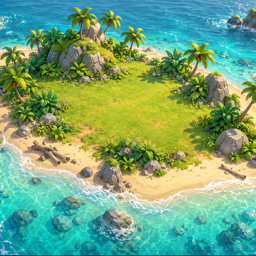
Sprouting Isle has no accounts, so there is no profile on our servers to close. Almost everything the game knows about you is stored on your own device, and you can delete it yourself in a minute. This page shows how, and how to ask us to delete anything else.
Quick answer
- Delete the app to remove all game data from the device.
- To delete support emails or anything else we hold, email contact@vnlook.com with the subject “Delete my data”.
- Deleting the game also deletes your coins and diamonds. This cannot be undone.
1. What there is to delete
- On your device: your save (island, inventory, quests, level, coin and diamond balances, completed-purchase IDs) and settings.
- With us: only emails you have sent to support, if any.
- With Unity, Apple and Google: technical purchase records and your purchase history, described in our Privacy Policy.
2. Delete game data on iPhone or iPad
- Open Settings → General → iPhone Storage (or iPad Storage).
- Tap Sprouting Isle, then tap Delete App and confirm.
Or touch and hold the game's icon on the Home Screen, tap Remove App, then Delete App. Choose “Delete App”, not “Offload App” — offloading keeps your data.
Older device backups may still contain a copy of the game's data. You can remove them in Settings → [your name] → iCloud → Manage Account Storage → Backups.
3. Delete game data on Android
- Open Settings → Apps and tap Sprouting Isle.
- Tap Uninstall and confirm.
To keep the game but erase its data, tap Storage & cache → Clear storage instead. Menu names can differ slightly between phone makers.
If your device backs up app data to your Google Account, a copy may be restored when you reinstall. You can manage backups in your device's backup settings (often Settings → Google → Backup).
4. Delete game data on Mac
- Quit Sprouting Isle.
- Move the app from the Applications folder to the Trash.
- In Finder, choose Go → Go to Folder, and delete
~/Library/Application Support/VNLook/Sprouting Isleand~/Library/Preferences/com.vnlook.sproutingisle.plist. - Empty the Trash.
If you installed the game from the Mac App Store, its data may be in ~/Library/Containers/com.vnlook.sproutingisle instead; delete that folder.
5. Start over without deleting the game
On Mac, the pause menu (Esc) has a New Game option. It erases your island, inventory, quests and level, and keeps diamonds you bought and have not spent.
6. Ask us to delete information
Email contact@vnlook.com from the address you used to contact us, with the subject “Delete my data”. We will delete our support correspondence with you within 30 days and confirm by email. We may keep a minimal record of the request itself, or information we are legally required to keep.
We do not need, and will never ask for, your password or payment details to process a request.
7. Data held by Unity, Apple and Google
- Unity: purchase records sent by the Unity purchasing component are linked to random IDs (a Unity installation ID and, on Apple devices, the IDFV), not to your name. Deleting the game removes the installation ID; removing all apps from VNLook resets the IDFV. To ask Unity to delete data, follow the Unity Privacy Policy, or write to us and we will help.
- Apple: your purchase history belongs to your Apple Account. You can manage or request a copy of it at privacy.apple.com.
- Google: your Google Play purchase history belongs to your Google Account. You can manage it or download a copy at myaccount.google.com.
8. What deletion means for purchases
Diamonds are stored only in your save. Once the game data is deleted, the balance cannot be restored by us, the App Store or Google Play. Your purchase history with Apple or Google is not affected. See In-App Purchases & Refunds.
Questions about this page?
Write to us at contact@vnlook.com